Designing faceted interfaces for prompt engineering in LLMs
To solve user agency and prompt-formulation bottlenecks in generative AI tools, I designed an interface combining contextual suggestions with inspectable, editable instructions. Informed by 5 functional prototypes and evaluated in a 33-participant study, the solution translates academic Human-AI interaction research into practical, scalable patterns for B2B AI products.
Try the final prototype- Impact
- 5 functional prototypes · 33-user study
- Role
- UX Researcher & Designer
- Focus
- Human-AI Interaction & User Agency
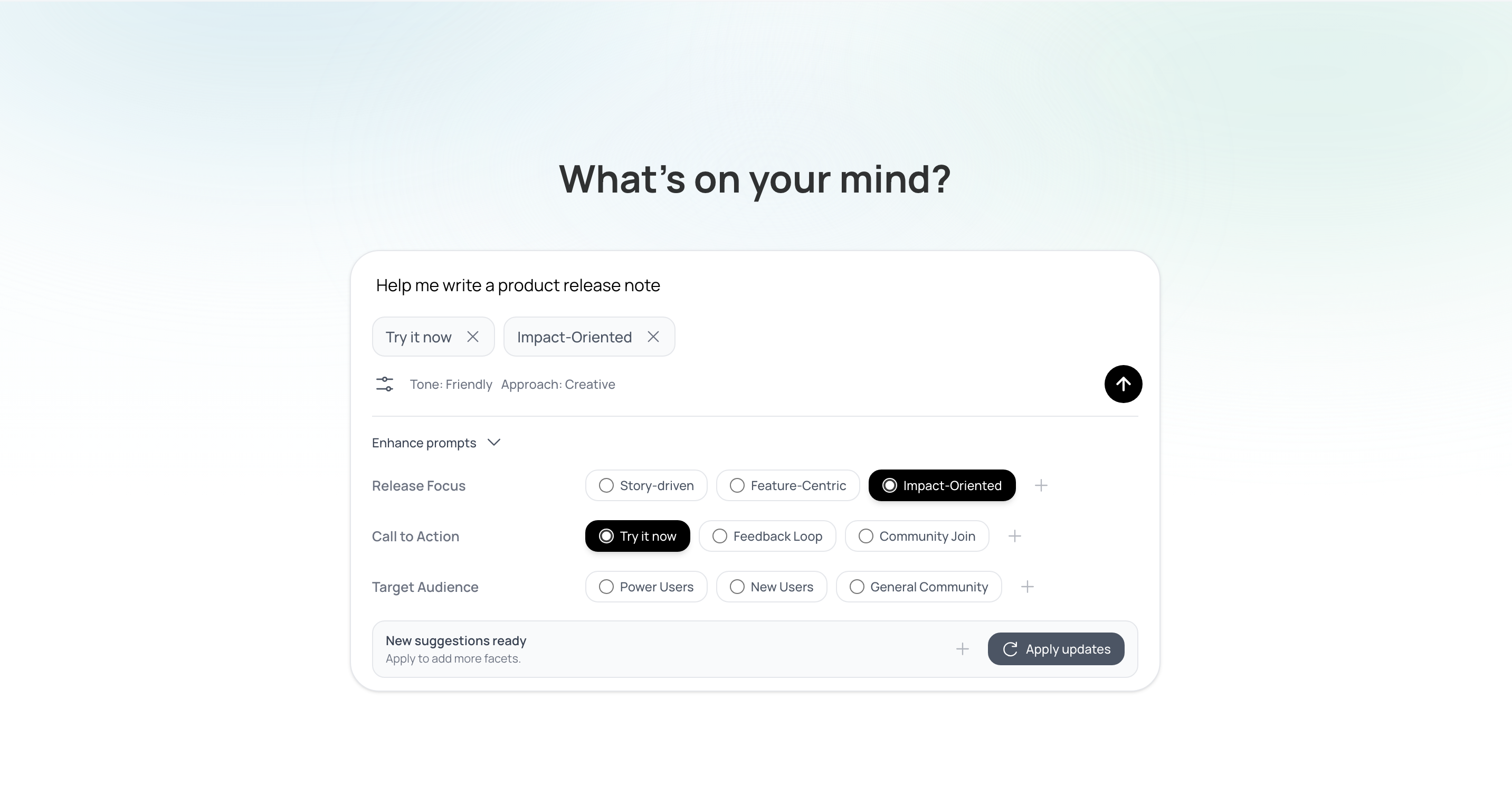
Open prompt boxes create formulation bottlenecks and erode user agency.
In generative AI tools, effective prompts require explicit goals, context, constraints, and format specifications. Current open prompt boxes offer little scaffolding, creating steep prompt-formulation bottlenecks and trial-and-error fatigue.
I investigated faceted interfaces—selectable categories, or “facets”, for specifying requirements, context and constraints—as a practical solution for B2B product workflows. By presenting contextual suggestions as inspectable, editable UI controls rather than opaque automated rewrites, users can overcome formulation friction while retaining full agency over their instructions.
Multi-stage prompt assistance keeps users in control.
Progressive disclosure introduces suggestions during prompting
As users write, the interface generates facets relevant to their prompt. A compact cue expands to reveal the suggestions. Users can select a value, regenerate the options or pause automatic enhancements.
Editable instructions support user agency and transparency
Selecting a facet value adds an instruction chip to the prompt. Users can inspect the full instruction on hover, open it to edit, or remove it before sending.
Refine or explore further from any answer
After the AI responds, two sets of facets support different needs: Refine develops the current answer; Explore offers alternative directions.
Each selection creates an editable follow-up prompt linked to its source answer. Users can branch from any answer, with all responses retained in the conversation for comparison.
I built five combinations of suggestion timing and facet strategy.
I explored two design dimensions for faceted prompting support:
Timing: before, during or after prompting.
Facet strategy: fixed suggestions, contextual suggestions generated once, or suggestions updated each turn.
I built five combinations and a standard chat interface for comparison, using a consistent visual system across the prototypes.
| Facet strategy | Before writing | While writing | After an answer |
|---|---|---|---|
| Fixed, general choices | Proto 1 | — | — |
| Contextual, generated once | — | Proto 2 | Proto 4 |
| Contextual, updated each turn | — | Proto 3 | Proto 5 |
Proto 0: standard chat, without facets. “—” indicates a condition excluded from this study.
Fixed facets sit beside the prompt before submission.
Contextual facets appear beneath the prompt as users write.
Facets update with each answer to support response refinement.
I evaluated the prototypes with 33 participants.
In remote sessions, each participant used standard chat and three faceted prototypes for a cooking task. They thought aloud during the task and rated usability, mental effort and trust after each prototype.
Each session ended with a semi-structured interview to capture participants’ perspectives. Activity logs recorded their behaviour for analysis.
Useful assistance depends on relevance, timing and user control.
Post-answer suggestions supported refinement.
Users could build on an existing answer. With refreshed facets, mean usability was close to standard chat (6.03 vs 6.05), with slightly lower mental effort (3.71 vs 3.82).
Suggestions during prompting felt responsive but could interrupt.
They received the highest mean trust rating (5.67 vs 5.15 for standard chat). Users felt understood, but frequent updates demanded attention.
Suggestions needed to follow changes in intent.
Early facets supported exploration; later facets supported refinement. Fixed choices could narrow possibilities, while outdated suggestions caused confusion.
Users wanted optional, editable assistance.
Suggestions could inspire ideas without being selected. Large panels could feel mandatory, and unclear labels added effort.
I translated the findings into five design considerations.
These considerations guided how I combined the research prototypes into the final design shown above.
Provide stage-aware support across the journey
Distinguish intent exploration from answer refinement, and refresh or withdraw suggestions when the conversation changes.
Preserve user control over facets
Let users adapt, retain, remove or regenerate suggestions, with reversible choices that preserve prompt authorship.
Maintain conversational flow
Keep support optional and secondary, using compact cues and on-demand disclosure to minimise interruption.
Minimise cognitive effort for comprehension
Present a small set of relevant facets and values in familiar language, expanding only when needed.
Prioritise transparency and predictability
Make facet behaviour understandable and reveal the instructions behind selections so users can anticipate prompt changes.
I combined prompting support and response refinement in the final prototype.
Retain progressive assistance, but make its use optional
Suggestions during prompting felt responsive, yet frequent updates could interrupt users.
I chose to retain this support behind compact, expandable cues, with controls to pause enhancements. This balances contextual assistance with conversational flow, cognitive effort and user control.
Before 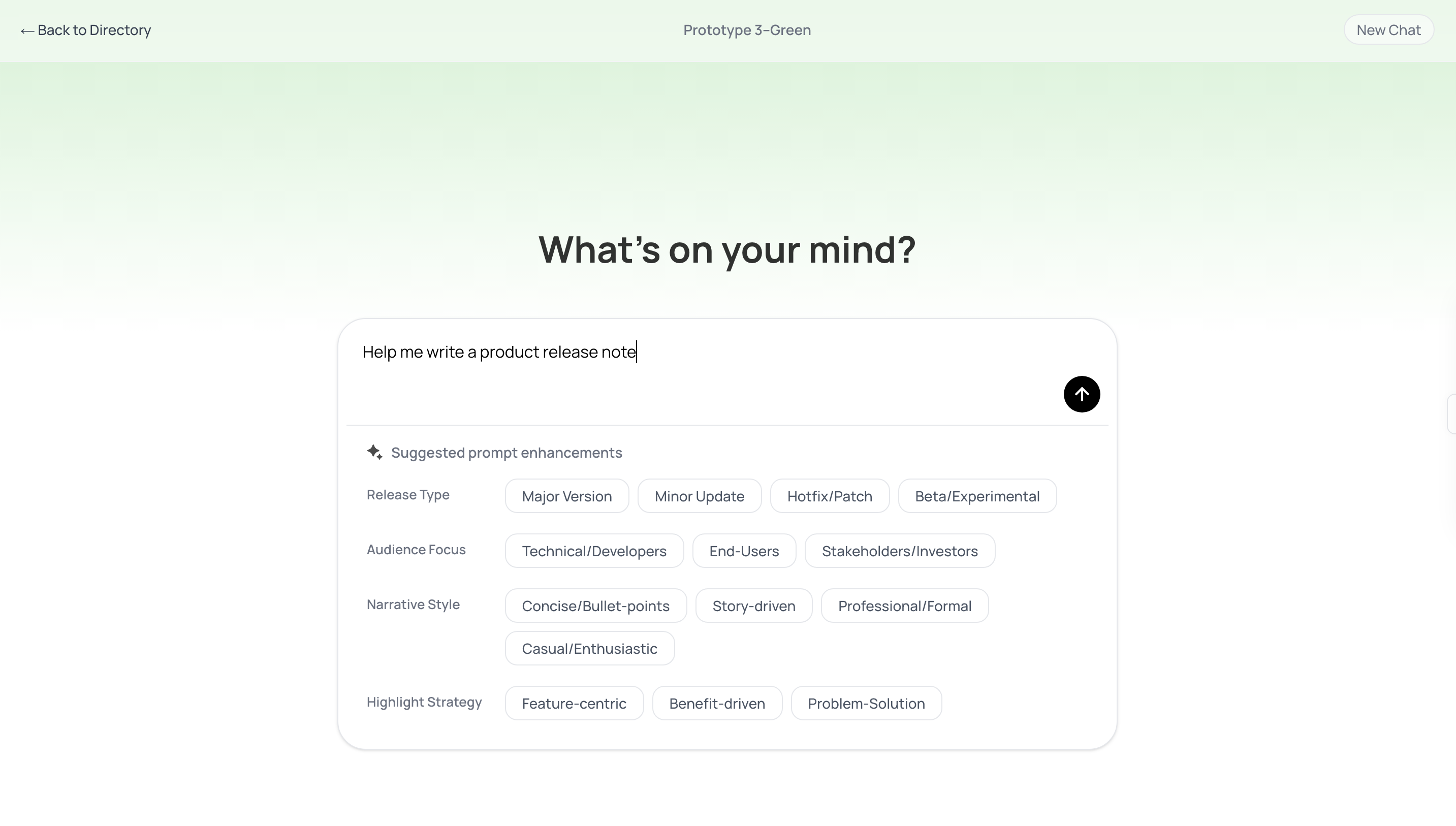
After 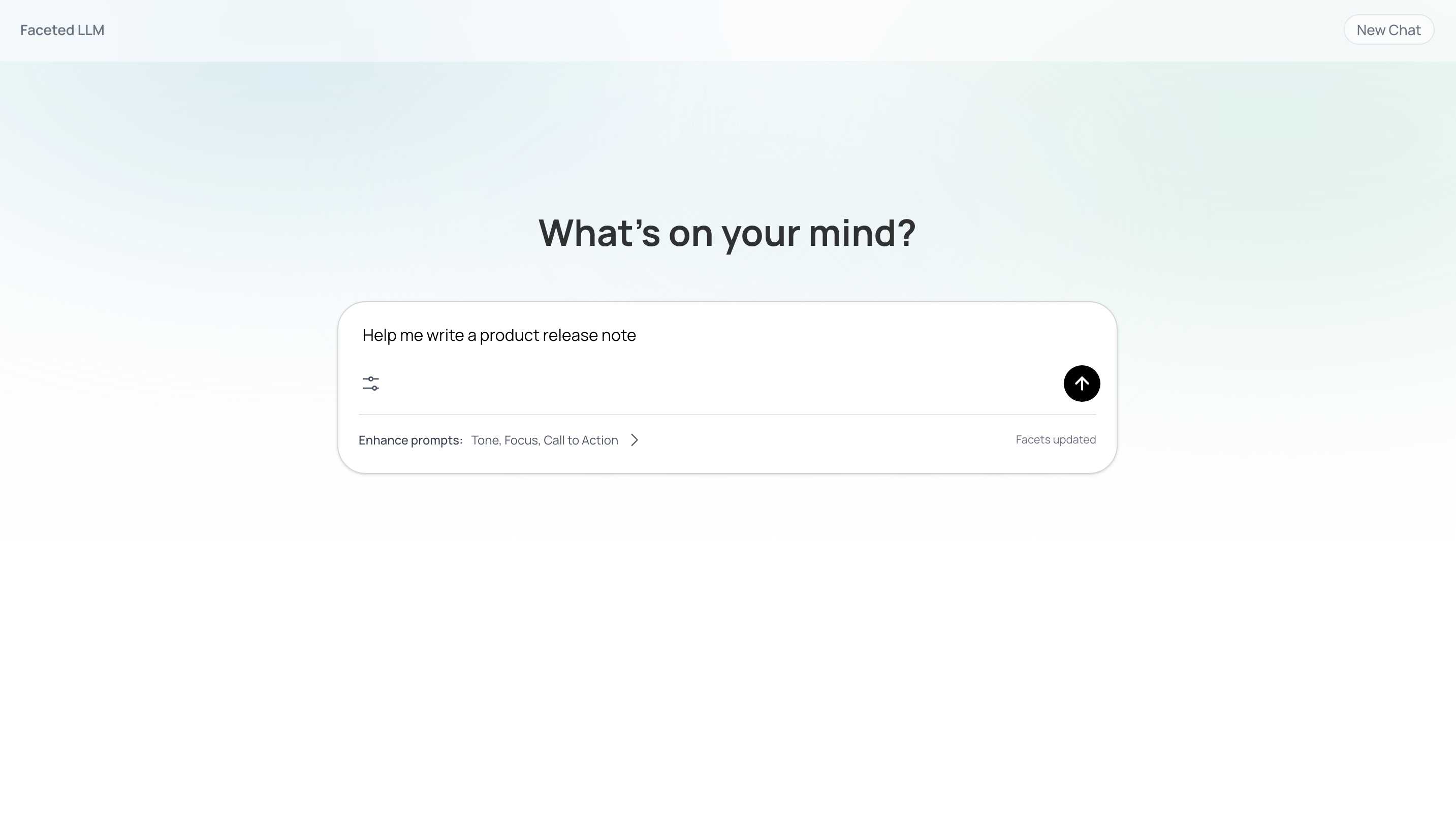
Make generated instructions inspectable and editable before submission
Users wanted to understand how suggestions affected their prompts and retain authorship.
I chose to expose each selected value as an instruction chip that users could inspect, edit or remove. This translates agency, transparency and predictability into control over the actual wording sent to the AI.
Before 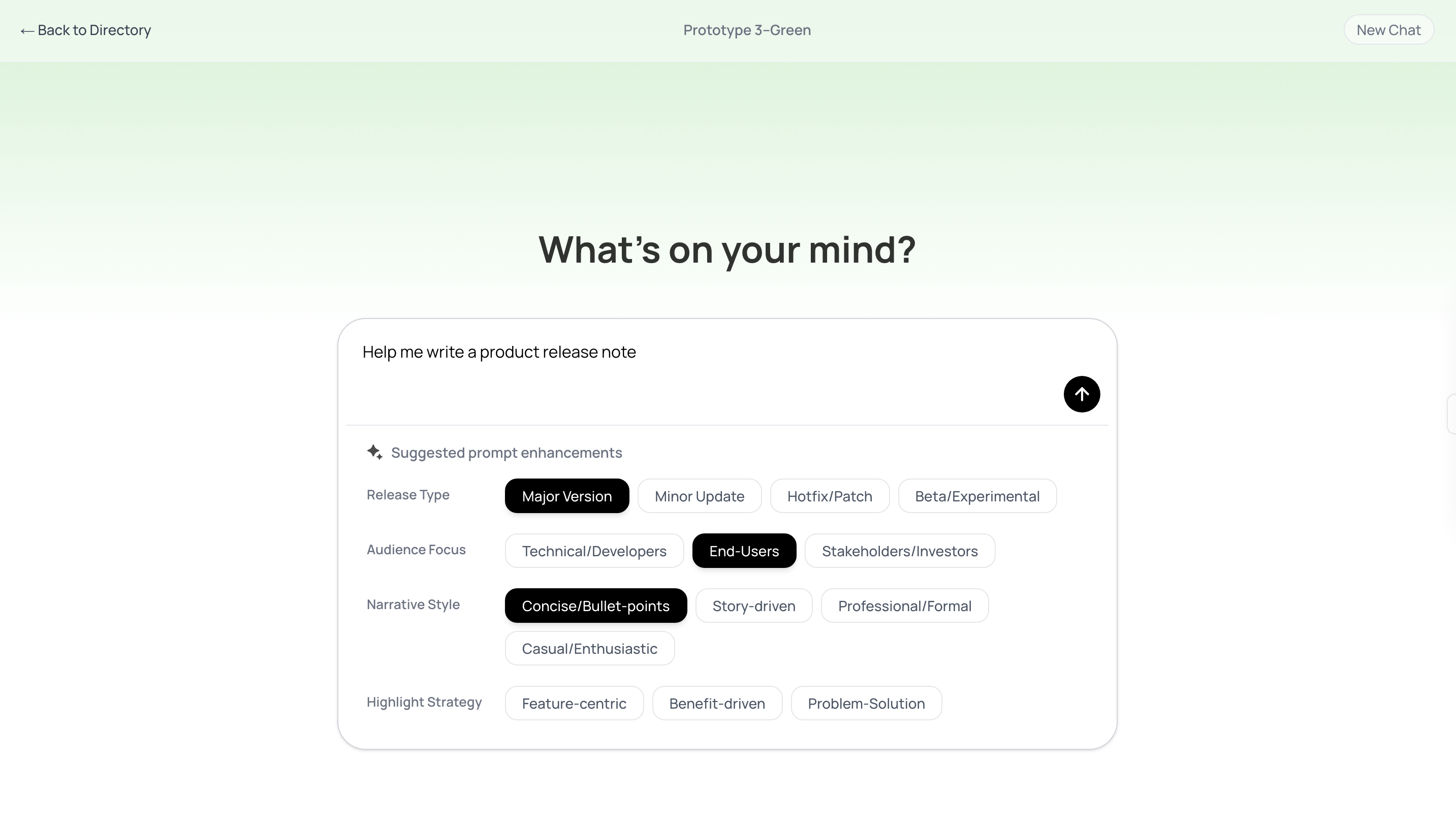
After 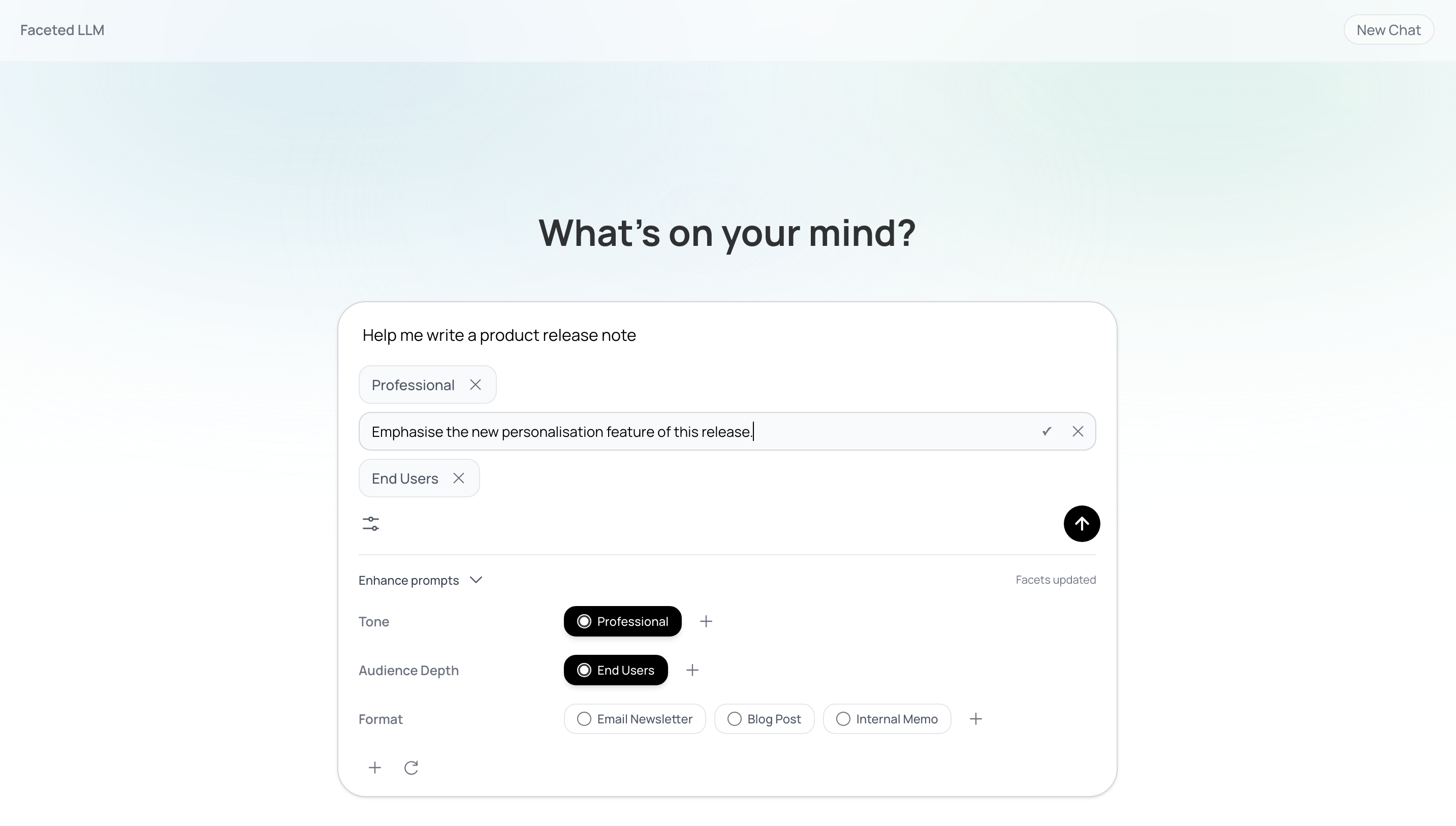
Separate answer refinement from further exploration
The research revealed two needs: developing an existing answer and considering other possibilities.
I chose separate Refine and Explore paths, each producing an editable follow-up tied to the selected answer. This applies stage-aware support while letting users decide how the conversation continues.
Before 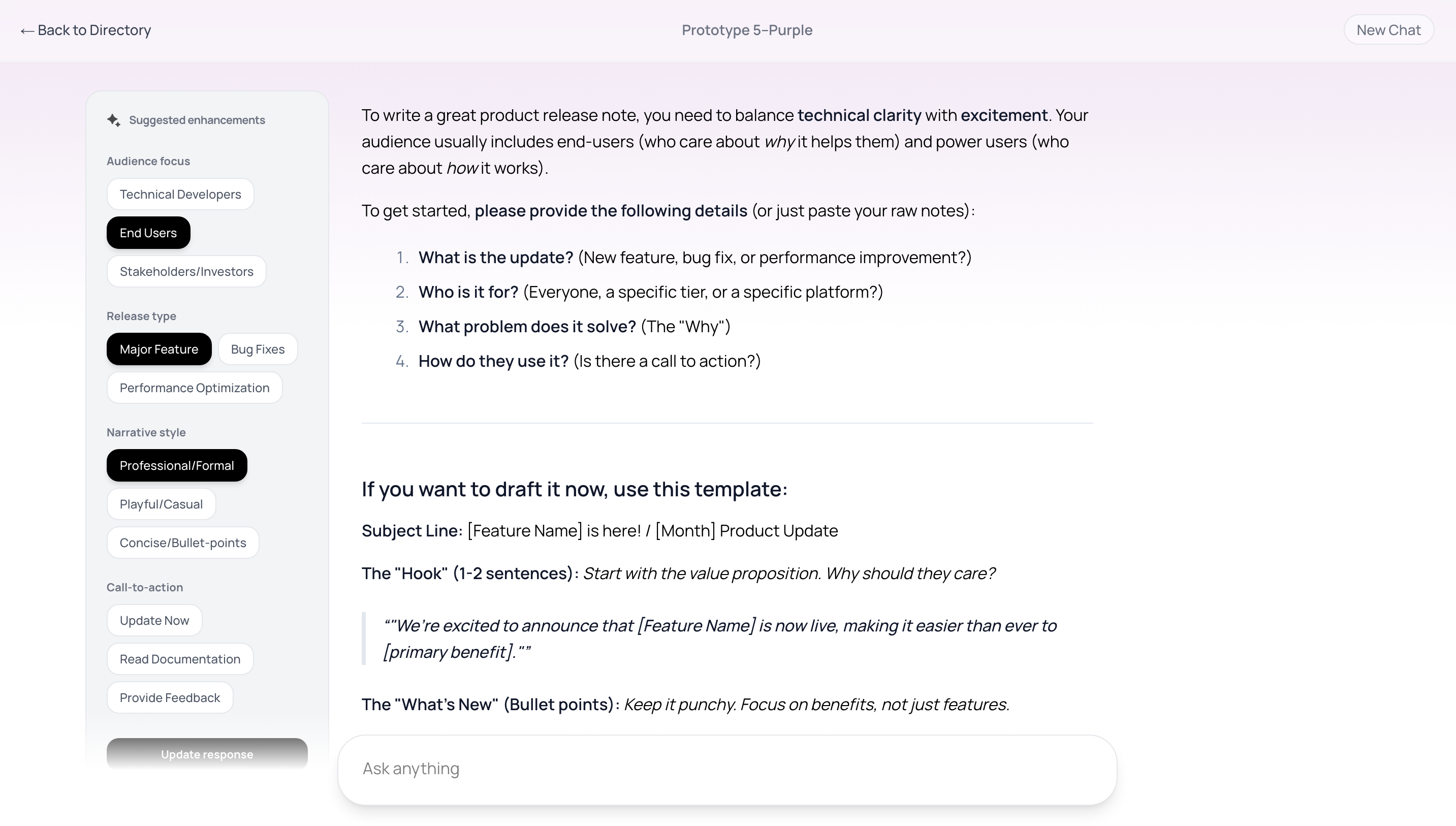
After 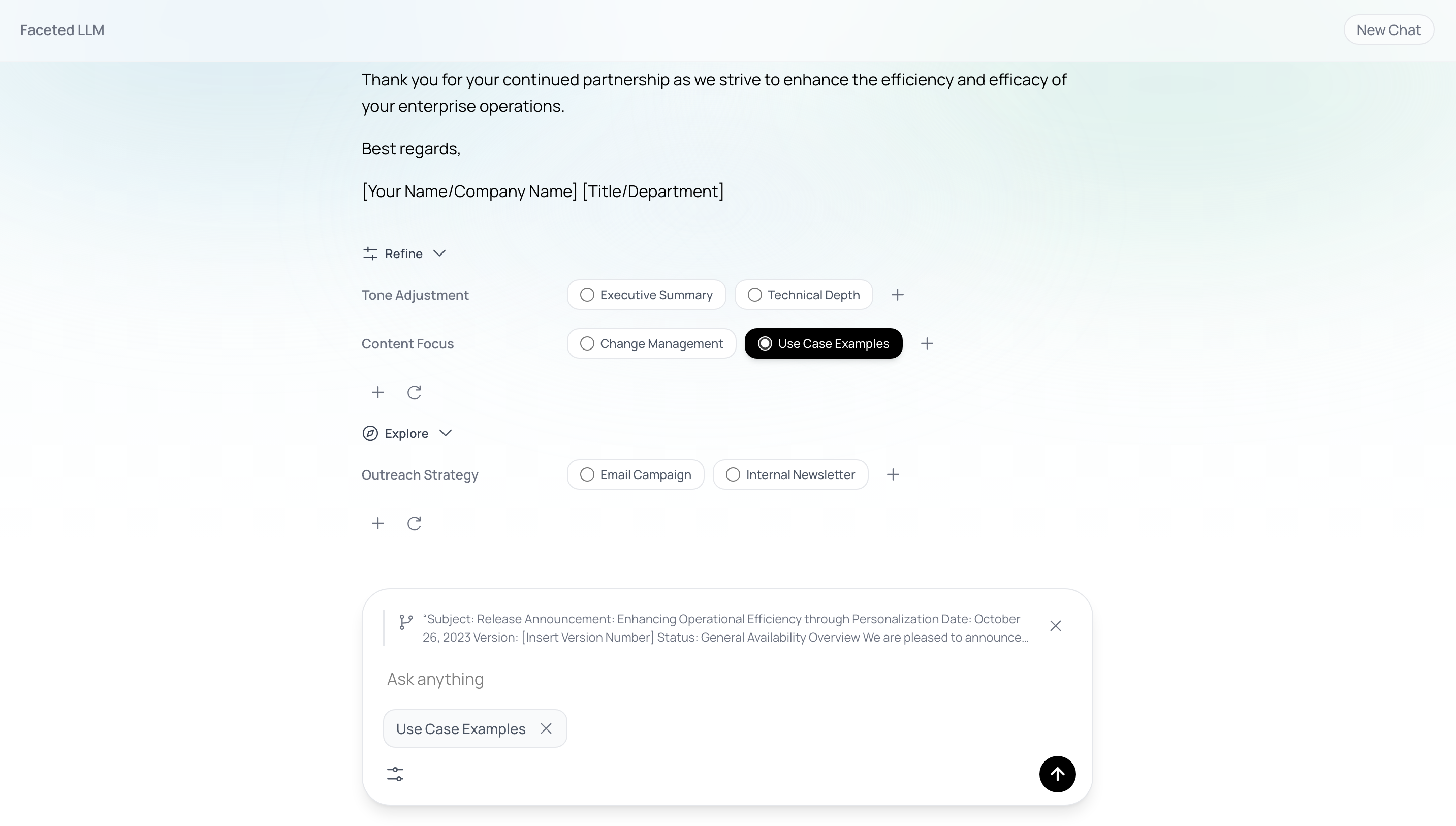
Solving user agency and prompt-formulation bottlenecks in generative AI tools.
The 33-participant study and 5 functional prototypes demonstrated that in generative AI tools, the greatest adoption bottleneck is not raw model intelligence, but user agency and interface scaffolding.
When B2B workflows force domain experts into either an unstructured blank box or an opaque "magic generation" button, users struggle to articulate complex intent and lose confidence in the results. By providing structured, inspectable, and editable facet controls, product teams can systematically eliminate prompt formulation bottlenecks—enabling enterprise users to steer AI outputs with precision, predictable control, and lasting trust.